
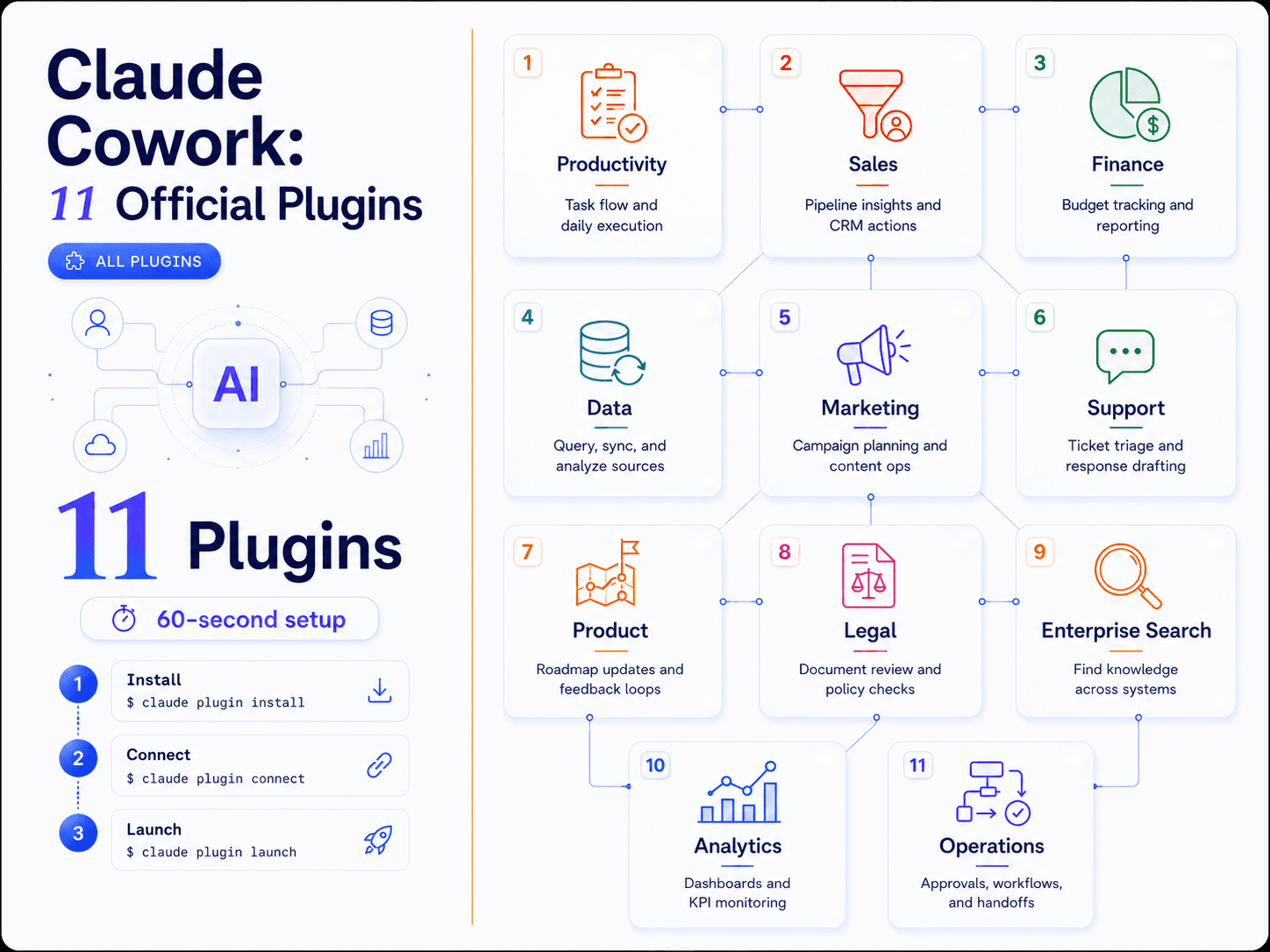
How to Install Claude Cowork Plugins in 60 Seconds
Most agencies pay for 8 different tools when Claude Cowork has 11 plugins that do the same work for free.
I installed all 11 in under 60 seconds. No API keys. No seat licenses. No complex setup.
Here is exactly how to do it and what each plugin replaces.
The 60-Second Installation Process
Open Claude Desktop on macOS. The Cowork tab is at the top.
Click Plugins in the left sidebar. Click Browse. Install the ones you need.
That is it.
For agency work, you probably need 3 to 5 plugins: Productivity, Sales, Marketing, Data, and Customer Support. That alone replaces $400 to $600 per month in SaaS subscriptions.
Once installed, type / or click + to see all available commands. No documentation reading. No menu hunting. Just type what you want and Cowork figures out which plugin to use.
What the 11 Official Plugins Actually Do
01 Productivity
Replaces: Notion, Asana, Todoist
Manages tasks, calendars, and daily workflows. I use this for client project tracking and internal team coordination. What used to live across 3 different tools now runs in one place.
02 Enterprise Search
Replaces: Algolia, internal wiki chaos
Finds information across your company's tools and documents. Agencies running on Google Drive, Notion, and Slack know the pain of searching for that one client brief from 4 months ago. This plugin ends that.
03 Plugin Creator
Replaces: Zapier, Make (for simple workflows)
Builds and customizes plugins from scratch. If your agency has a specific workflow that does not fit existing plugins, you can build it yourself without writing code.
04 Sales
Replaces: Apollo, HubSpot (for prospecting and deal prep)
Researches prospects, preps deals, follows your sales process. I have been using this to prep discovery calls. What used to take 45 minutes now takes 8. It pulls LinkedIn data, enriches contact info, and drafts personalized outreach in one shot.
05 Finance
Replaces: Excel hell, Google Sheets pivots, manual forecasting
Analyzes financials, builds models, tracks metrics. A fintech partner cut analysis time by 50% for 20 firms using the Finance plugin for model building. No more manual pivot tables or broken formulas.
06 Data
Replaces: Tableau, Looker (for basic analysis)
Queries, visualizes, and interprets datasets. Connect it to BigQuery or your CRM database and ask questions in plain language. It returns charts and insights without you touching SQL.
07 Legal
Replaces: DocuSign review, compliance tracking spreadsheets
Reviews documents, flags risks, tracks compliance. One anonymous fintech user flagged compliance risks in 1,000 documents and cut review time by 60%. For agencies handling client contracts or NDAs, this is a time saver.
08 Marketing
Replaces: Buffer, CoSchedule, campaign planning tools
Drafts content, plans campaigns, manages launches. I use this to draft campaign briefs for clients. It pulls competitive analysis, suggests positioning, and outlines the execution plan.
09 Customer Support
Replaces: Zendesk macros, response templates
Triages issues, drafts responses, surfaces solutions. If your agency runs support for clients or handles internal support tickets, this plugin writes responses that sound human and pulls context from past conversations.
10 Product Management
Replaces: Jira, Trello, roadmap tools
Writes specs, prioritizes roadmaps, tracks progress. Product-led agencies or SaaS clients benefit here. It drafts feature specs, maintains backlog priority, and tracks sprint progress.
11 Biology Research
Replaces: PubMed searches, research databases
Searches literature, analyzes results, plans experiments. This one is niche but powerful for life sciences clients or health tech agencies doing research-heavy work.
Why Agencies Are Switching
78% of agencies report that tool sprawl increases operational time by more than 20 hours per week. That is half a work week lost to toggling between apps, exporting CSVs, and manually syncing data.
AI automation cuts repetitive tasks by 40% for small and mid-sized businesses. Plugin-like tools boost productivity by 35% in sales teams specifically.
65% of founders lose 15 hours per week to manual reporting alone. If your agency is still pulling reports from Meta Ads Manager, Google Ads, and GA4 into a deck every Monday, the Productivity and Data plugins eliminate that.
Mindbees Agency installed the Sales and Marketing plugins. They automated prospect research and CRM sync. Result: 12 hours saved per week per rep.
Another example: a custom Legal plugin flagged compliance risks in 1,000 documents and cut review time by 60%.
These are not hypothetical wins. These are real agencies running real client work.
Common Mistakes During Installation
Installing add-ons before the core plugin breaks dependencies. Install the core plugin first, then layer in role-specific plugins.
Skipping tool connectors means idle skills. If you install the Sales plugin but do not connect Gmail or your CRM, the plugin cannot pull data. Connect your tools during setup.
No customization means generic output. The plugins work out of the box but they are better when you edit them. Use slash commands like /ppt-template to customize outputs for your agency's process.
How to Integrate Claude Cowork Into Your Workflow
Start with the Productivity plugin. Get comfortable with daily slash commands like /daily-briefing or /task-list. Once that is running smoothly, add role-specific plugins.
For agencies, the next installs are usually Sales and Marketing. These two handle 80% of client-facing work.
Connect Notion, Gmail, and BigQuery for unified dashboards. The more tools you connect, the more context Cowork has when answering questions or automating tasks.
Scale with the Plugin Creator for client-specific operations. If a client has a unique workflow, build a custom plugin instead of forcing them into a generic process.
What This Replaces in Real Numbers
A typical agency tool stack looks like this:
Notion for project management: $10 per user per month Asana for task tracking: $13 per user per month Apollo for prospecting: $79 per month HubSpot Starter for CRM: $20 per user per month Buffer for social scheduling: $6 per channel per month Zendesk for support: $19 per agent per month
For a 5-person team, that is $400 to $600 per month in tool costs. Claude Cowork plugins eliminate most of that spend.
The bigger win is not the money saved. It is the time saved toggling between tools, exporting data, and manually syncing information.
How Flownix Labs Can Help
If your agency is drowning in tool sprawl and manual workflows, we build done-for-you automation systems that connect your tools and eliminate repetitive tasks.
We specialize in lead generation, enrichment, and nurturing systems for marketing agencies. Every system we build touches the revenue side of your business: finding leads, qualifying them, and getting them into conversations.
We work with n8n, Apollo, Clay, Prospeo, and Claude to build systems that run without anyone touching them. Your team focuses on client delivery. The automation handles pipeline, follow-up, and reporting.
Share this article
Spread the knowledge with your network.
ENTERPRISE SOLUTIONS